ESUM Product Description
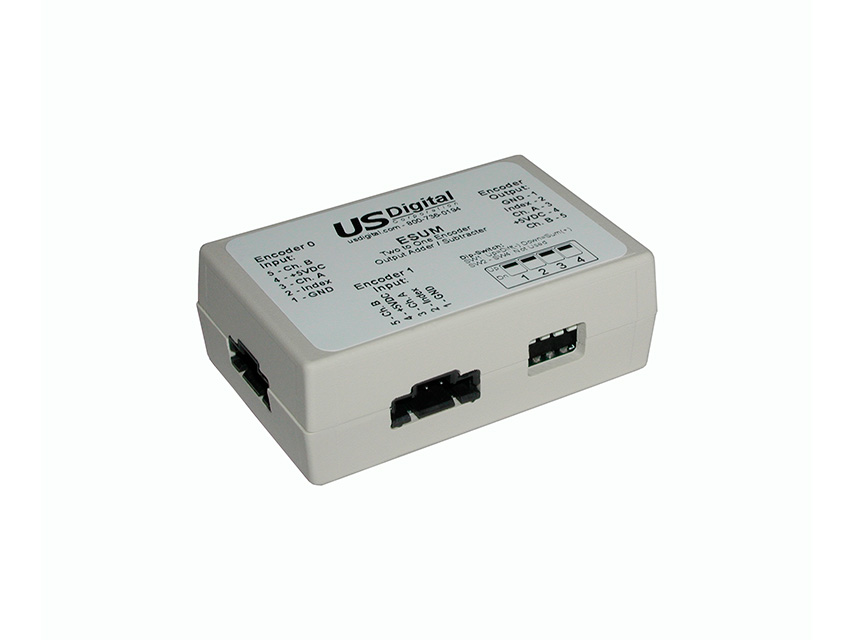
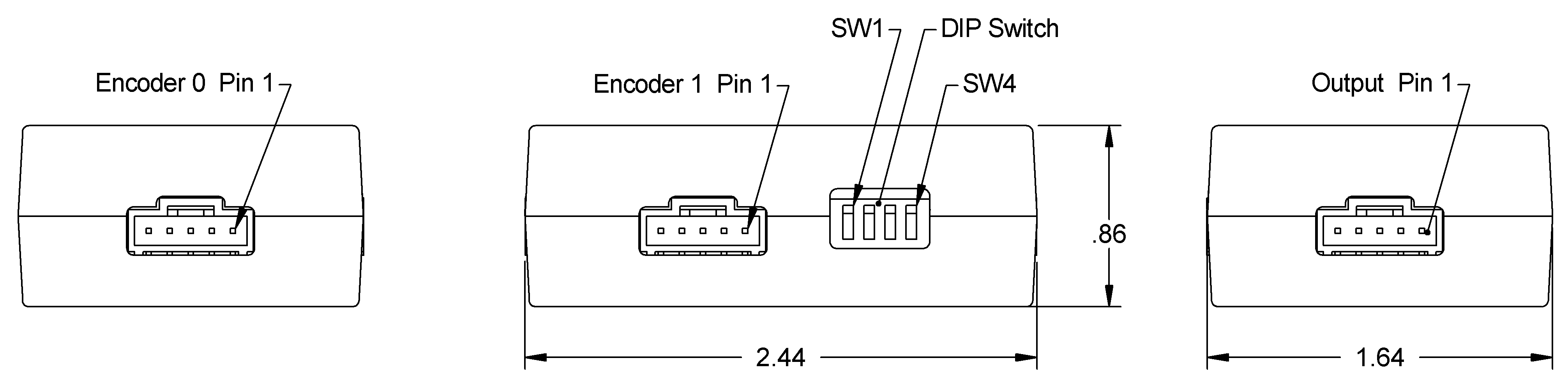
The ESUM combines the quadrature outputs of two encoders into a single quadrature output. The output quadrature may be selected to be either the sum or difference of the two quadrature inputs. The index from encoder 0 is wired to the index of the output. The index from encoder 1 is not used. Connectors are 5-pin positive latching.
Applications for the ESUM include:
Coarse and fine operator controls when one encoder is high resolution, and the other is low resolution.
Measuring the difference in position between 2 shafts with one encoder is mounted on each.
Measuring dynamic coupling twist with one encoder mounted on each side of the coupling.
The ESUM functions by sampling the two encoder inputs, decoding the quadrature inputs into up/down signals, combining the up/down signals, and synthesizing new quadrature on the output. The sampling nature of the operation limits the maximum quadrature frequency to 46.8 kHz.
To use, place the ESUM in line with the encoder cables. The ESUM derives its power from the +5V pin of the encoder cable. DIN rail mounting is available. Only SW1 affects the function of the ESUM. SW2, SW3, and SW4 are not used.
Product Specifications
ABSOLUTE MAXIMUM RATINGS
PARAMETER
MIN.
MAX.
UNITS
Storage Temperature
-40
100
C
Operating Temperature
0
70
C
Humidity (non-condensing)
0
95
%
Digital Inputs (diode clamped)
-0.6
5.6
V
ELECTRICAL
PARAMETER
MIN.
TYP.
MAX.
UNITS
Supply Voltage (Vcc)
4.75
5.0
5.25
V
Supply Current (no encoders)
120
mA
Input Low Voltage
0
0.8
V
Input High Voltage
2.0
Vcc
V
Output Low (8 mA current sink)
0.4
V
Output High (4 mA current source)
2.4
V
Max. Input Frequency
46.8
kHz
Max. Phase Delay
40
usec.
PIN-OUTS
Encoder 0 Input:
PIN
DESCRIPTION
1
Ground
2
Index
3
A channel
4
+5V out (direct connection to pin 4 of Output connector)
5
B channel
Encoder 1 Input:
PIN
DESCRIPTION
1
Ground
2
Index (value ignored)
3
A channel
4
+5V out (direct connection to pin 4 of Output connector)
5
B channel
Encoder Output:
PIN
DESCRIPTION
1
Ground
2
Index
3
A channel
4
+5V input
5
B channel
DIP SWITCH SETTINGS
SWITCH
DESCRIPTION
1
switch down = sum (Encoder 0 + Encoder 1)
2
no function
3
no function
4
no function
PRODUCT CHANGE NOTIFICATIONS
Title
Date
Description
Download
PCN 1011
9/21/2011
The AD2B, AD4B, AD7, EADAPT, EDAC2, EDIVIDE, EPOT, EQUAD, ESUM, ESWITCH, ETACH2, SEI-USB, USB-232 currently utilizes a printed thermal transfer label. This label will no longer be used and will be replaced by laser marking directly onto the housing of the product. The purpose for this change is to create a more durable solution and eliminate the possibility of the label being inadvertently removed from the housing.
Download
Additional Information
Product Notes
Cables and connectors are not included and must be ordered separately.
US Digital® warrants its products against defects in materials and workmanship for two years. See complete warranty for details.
Datasheet
Feedback
US Digital's mission is a commitment to quality and constant improvement. If you find an error to a product on this page, please let us know !
Save Your Configuration
Easily keep track of your custom part numbers
What is this feature?
While configuring your encoder, you can save your custom part number at any stage. This helps you keep track of multiple configurations without needing to start over or write anything down.
How does it work?
Click “Add This Configuration to Your List” after selecting your options.
Your saved part number will appear in a mini list below the configurator.
The list is stored locally in your browser and persists across product pages.
Enter a quantity to view default pricing.
What can you do with saved configurations?
When you're ready, visit the Saved Configurations List page to:
Review all saved part numbers
Fill out a form to send your selections to US Digital Customer Service
Receive follow-up to complete your order or get support
Why use it?
Save time by avoiding repeated configurations
Compare multiple part numbers side-by-side
Simplify communication with our support team
Got it!